 Bridge
Homework set, submitted and reviewed in one place.
Teachers post homework for their sections. Students submit from the app. Parents see what is due, and the office sees completion across the school.
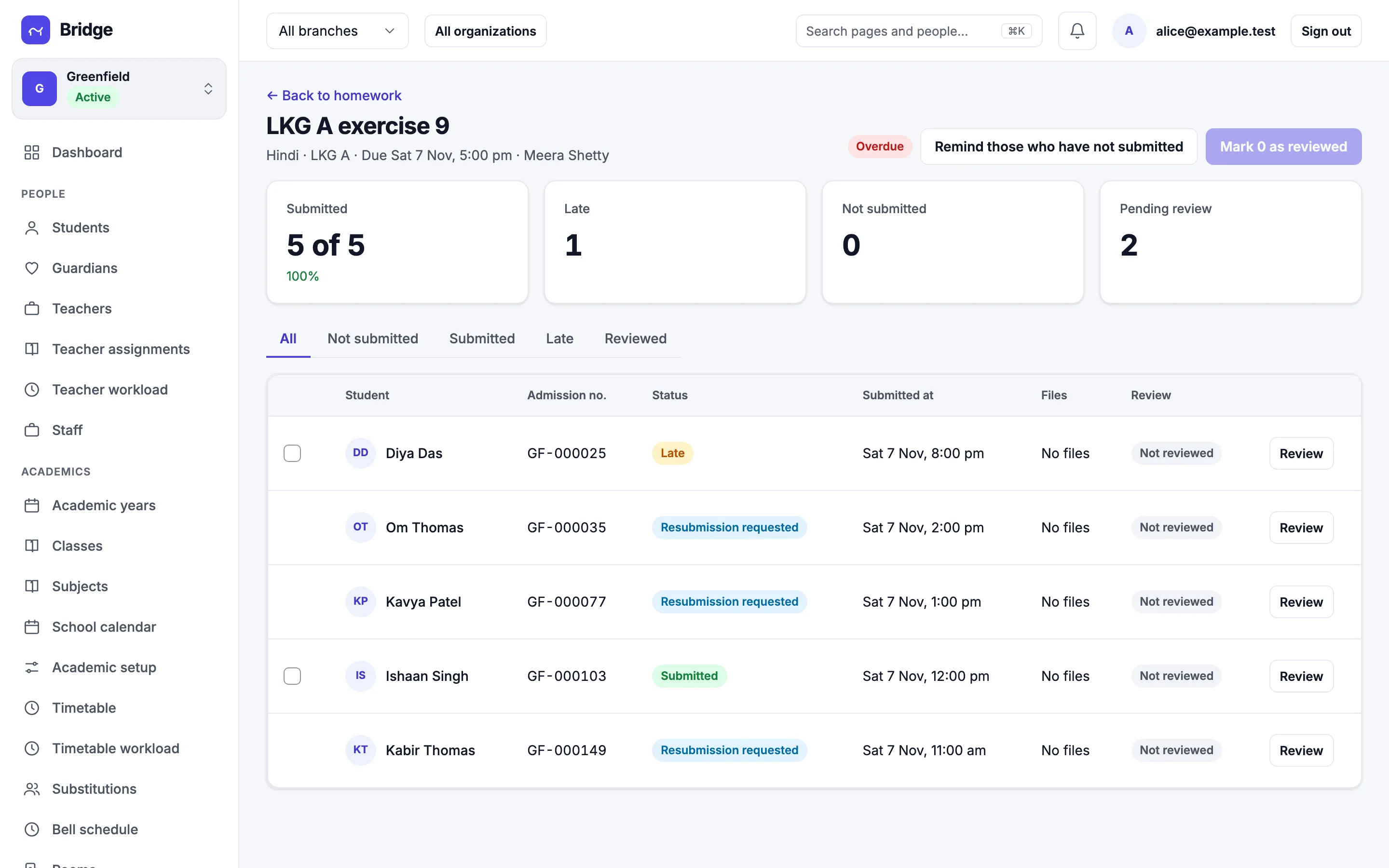
For teachers
Review every submission without the paper pile.
Each homework shows who has submitted, who is late and who has not started. Review a submission, ask for a resubmission, or remind the rest in one tap.
- Submitted, late and not submitted at a glance
- Ask for a resubmission with a note
- Remind those who have not submitted
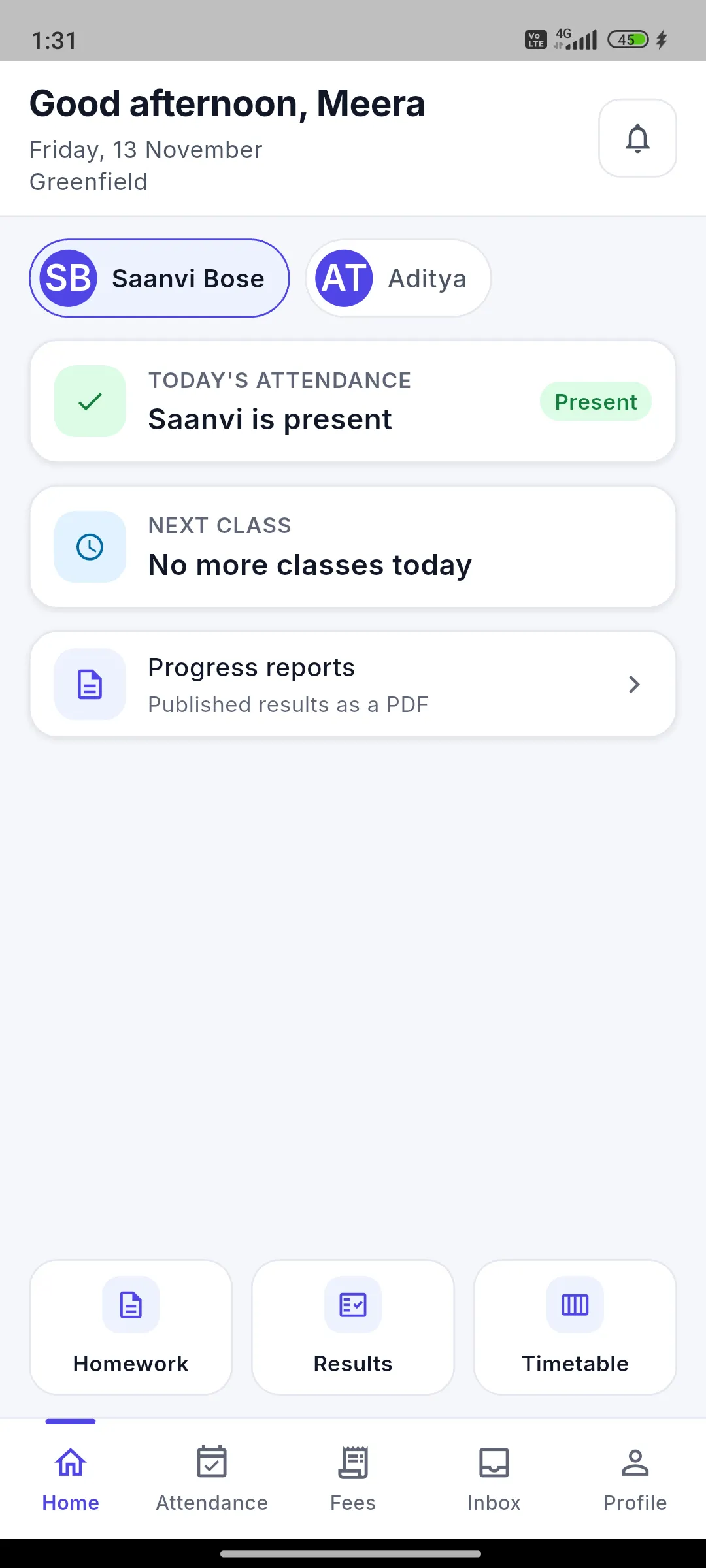
For students and parents
What is due today, on the phone.
Students see upcoming, overdue and done homework and submit with photos or files, even when offline. Parents see the same list for each child.
- Submit photos and files from the app
- Works offline and uploads later
- A feed per child for parents
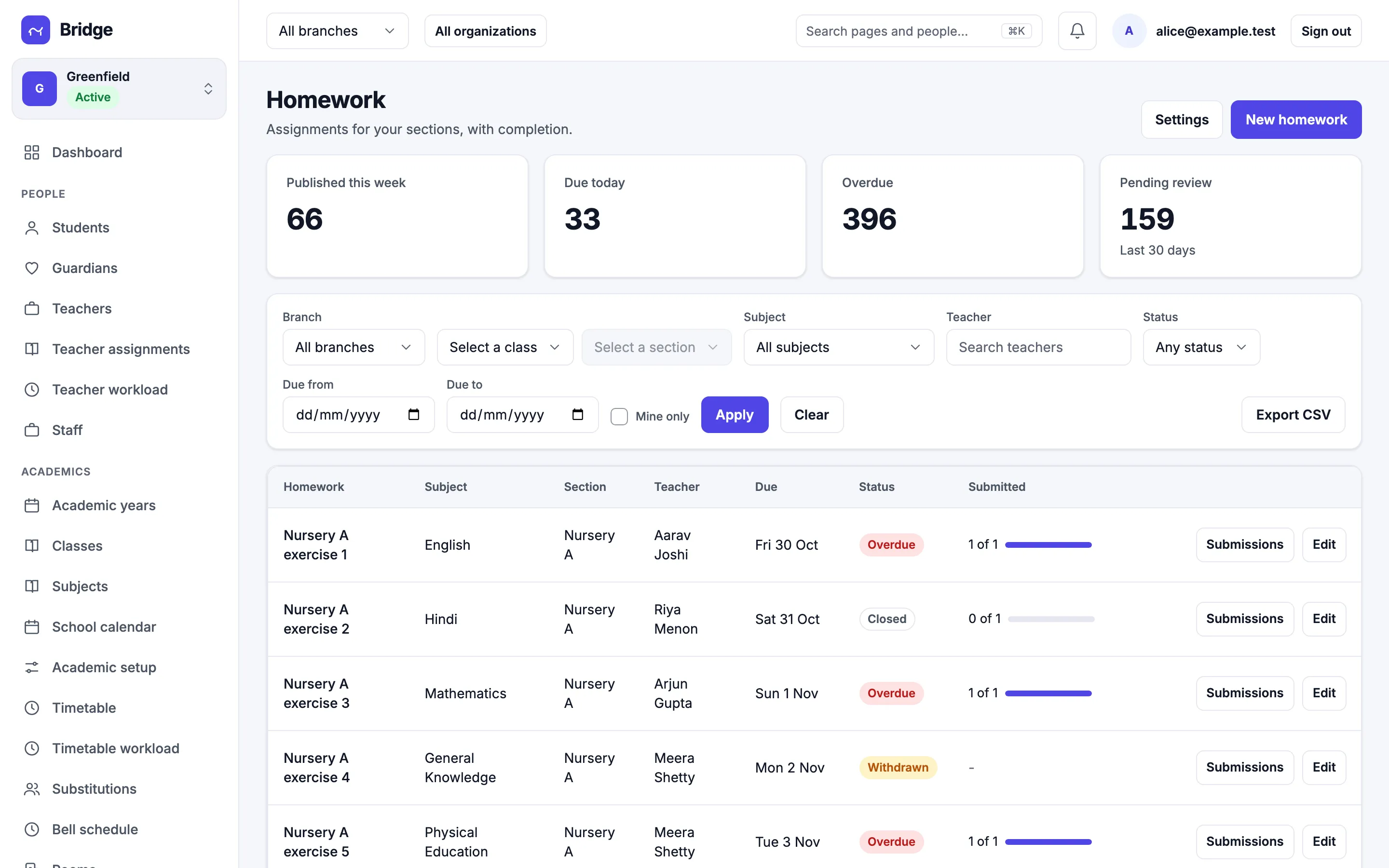
For the office
Completion across the school.
Homework analytics shows completion, late rate and pending reviews by subject and section, so a coordinator can spot a pattern early.
- Completion and late rate by subject
- Pending reviews by teacher
- Export to CSV