 Bridge
From exam timetable to report card, without the spreadsheet.
Plan an exam, let each teacher enter marks for their subject, check and lock them, then publish results and report cards to parents.
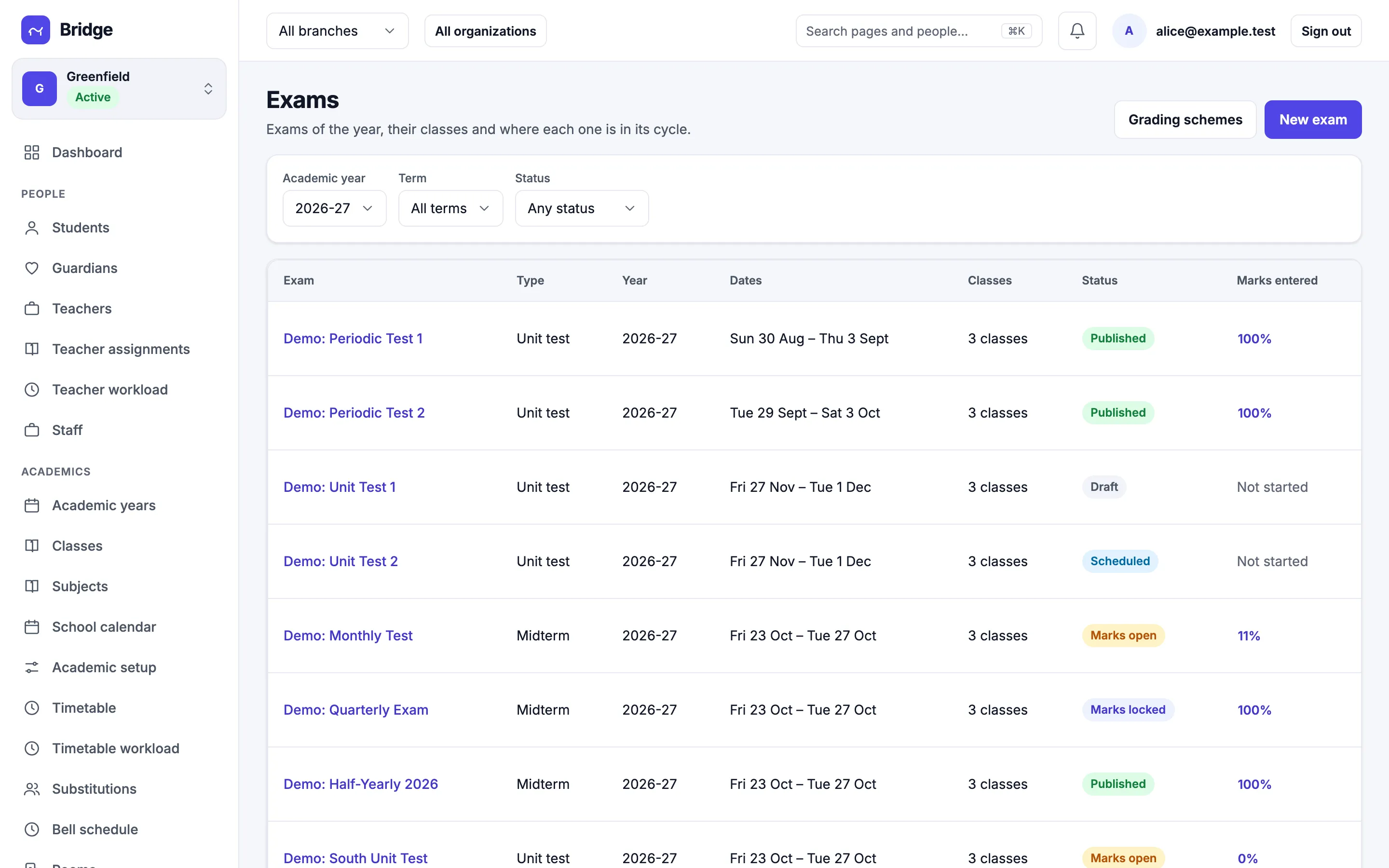
Exam cycle
Every exam knows where it stands.
An exam moves from draft to scheduled, marks open, marks locked, computed and published. The list shows each one’s state and how much of the marks are in.
- Unit tests, midterms and finals
- Schedule by class and subject
- Marks entered, at a glance
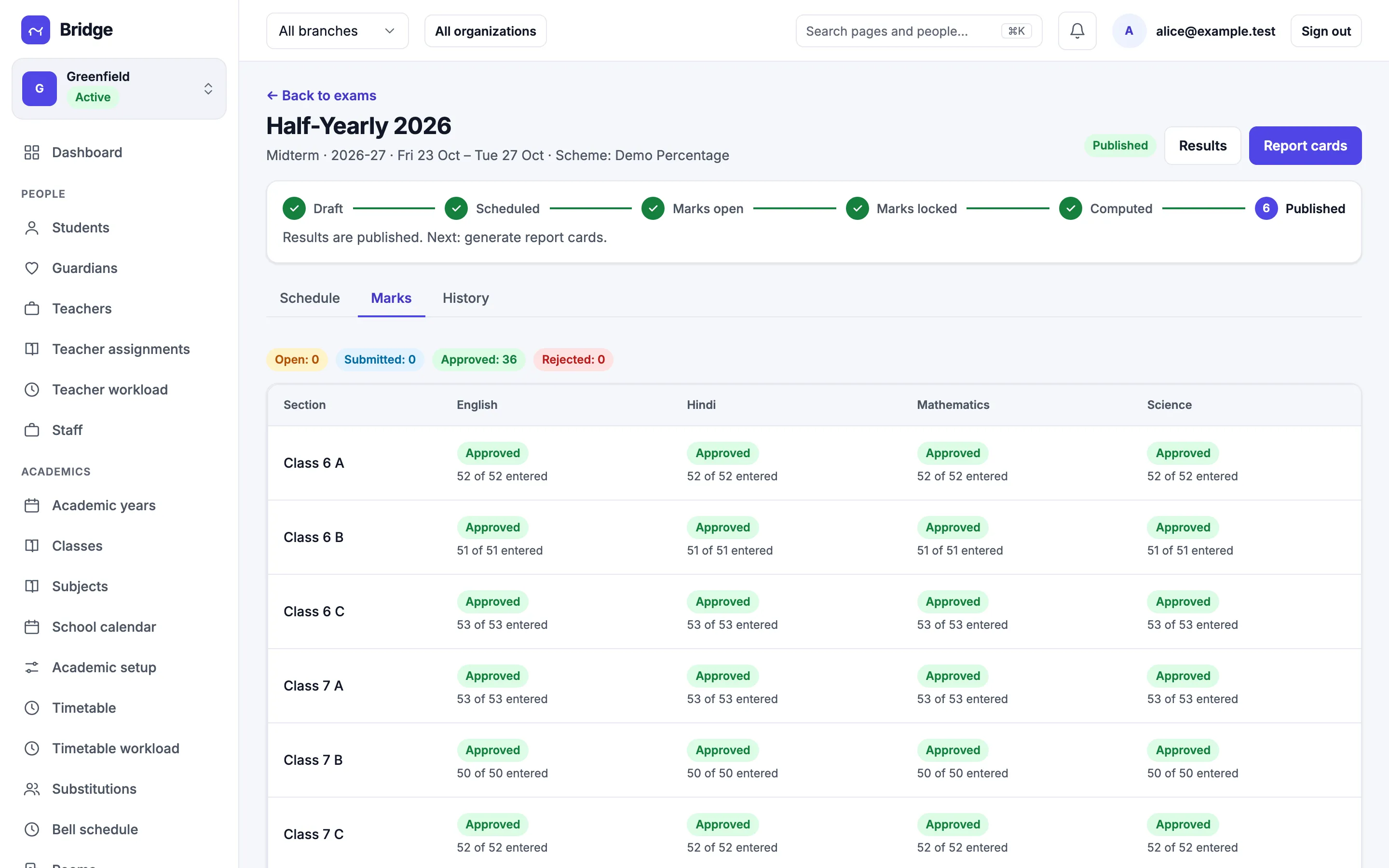
Marks entry
Teachers enter marks, the office approves.
Each subject teacher enters marks for their sections. The coordinator approves or sends them back, and locked marks change only through a recorded correction.
- Marks entry per section and subject
- Approve or reject with a reason
- Corrections with an audit trail
Results
Your grading scheme, your report card.
Set percentage or grade schemes, compute results and publish them. Parents see results and download report cards in the app; a result can be withheld for a single student.
- Grading schemes you define
- Report cards as PDF
- Results in the parent app